Personal outdoor guidance

Know the best time to go outside.

Air-quality numbers do not tell you what to do. HiAir combines available environmental conditions with your personal context to make walks, runs, and outdoor time easier to plan.

Public on the App StoreiPhone and iPad Version 1.1Free · In-App Purchases AndroidNot publicly listed yet

Wellness guidance only. HiAir is not a medical device and does not guarantee safety.

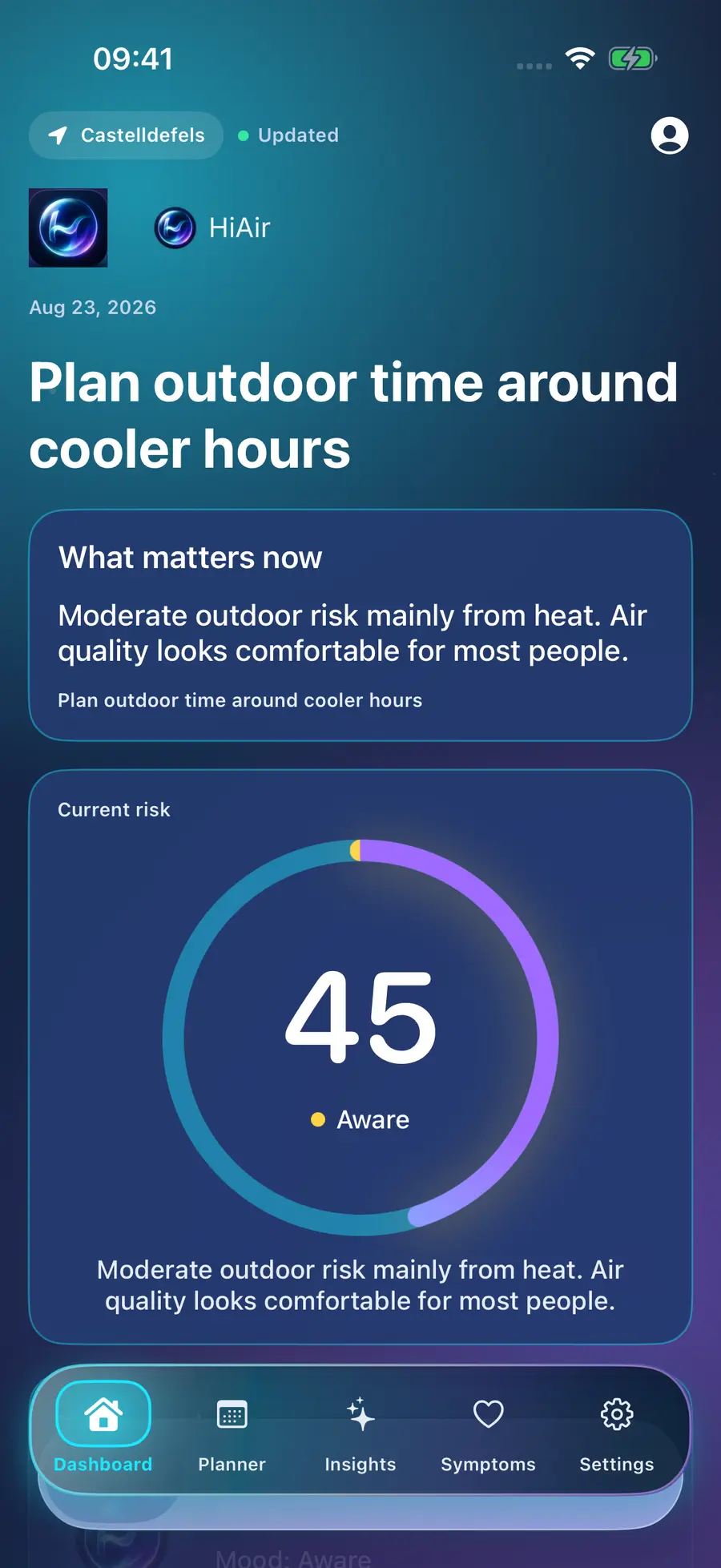
Real HiAir iPhone dashboard showing current outdoor risk and heat guidance
Real HiAir iOS product screen
Live air & heatPersonal risk contextActivity timingHonest missing data

The difference

A weather app shows numbers.
HiAir helps you make a plan.

Example values

Barcelona · 14:00

Temperature
29°C
AQI
61
PM2.5
17
Humidity
64%
Ozone
76
Pollen
Unavailable

What should I actually do?

HiAir demo example

Moderate outdoor risk

A walk looks more suitable after 19:00.

Heat is the main reason to wait. Air quality is expected to ease later, while pollen data is unavailable.

Now Shorter outing19:00–21:00 Better window

Example only — not real-time environmental or medical advice.

Try the idea

Find a more suitable window in seconds.

Choose a sample city and activity. This deterministic demo explains the product without accessing your location or a private HiAir API.

No location, health, or form values are sent to analytics.

Demo exampleBarcelona · Walk
43
ModerateOutdoor risk
More suitable window19:00–21:00

Lower heat and improving air conditions make the evening a better fit for a walk.

Get personalized daily guidance in HiAir →

Four product stories

From current conditions to a decision that fits you.

01

Know your risk

See what matters now.

HiAir brings current outdoor risk, the leading reason, and a clear next step into one calm view.

  • Location and update status
  • Personalized risk level
  • Plain-language guidance
HiAir dashboard with a current risk score and recommendation
Real iOS dashboard
02

Find your best time

Plan around the day, not one reading.

Hourly provider points are assessed for the activity you choose. Missing inputs stay missing instead of becoming reassuring zeros.

060912151821

19:00–21:00 is highlighted because heat and air conditions are more suitable in this example.

03

Understand why

Every recommendation has reasons.

HiAir separates the factors it can observe from the factors that are unavailable, so you can judge the guidance with context.

Explore Science & Data →
HeatHigher influenceFeels-like temperature and humidity
Air qualityModerate influenceAQI, particles, and ozone where available
Pollen & smokeCoverage dependentShown only when data exists
Personal contextYour choicesProfile, activity, and optional health summaries
04

Make it personal

Your environment meets your activity.

Optional Apple Health summaries and private symptom check-ins can add wellness context. Saved places and linked family profiles help you plan beyond one location or person.

Apple Health access is optional and requires explicit system permission. Family and saved-place features have account and plan limits.
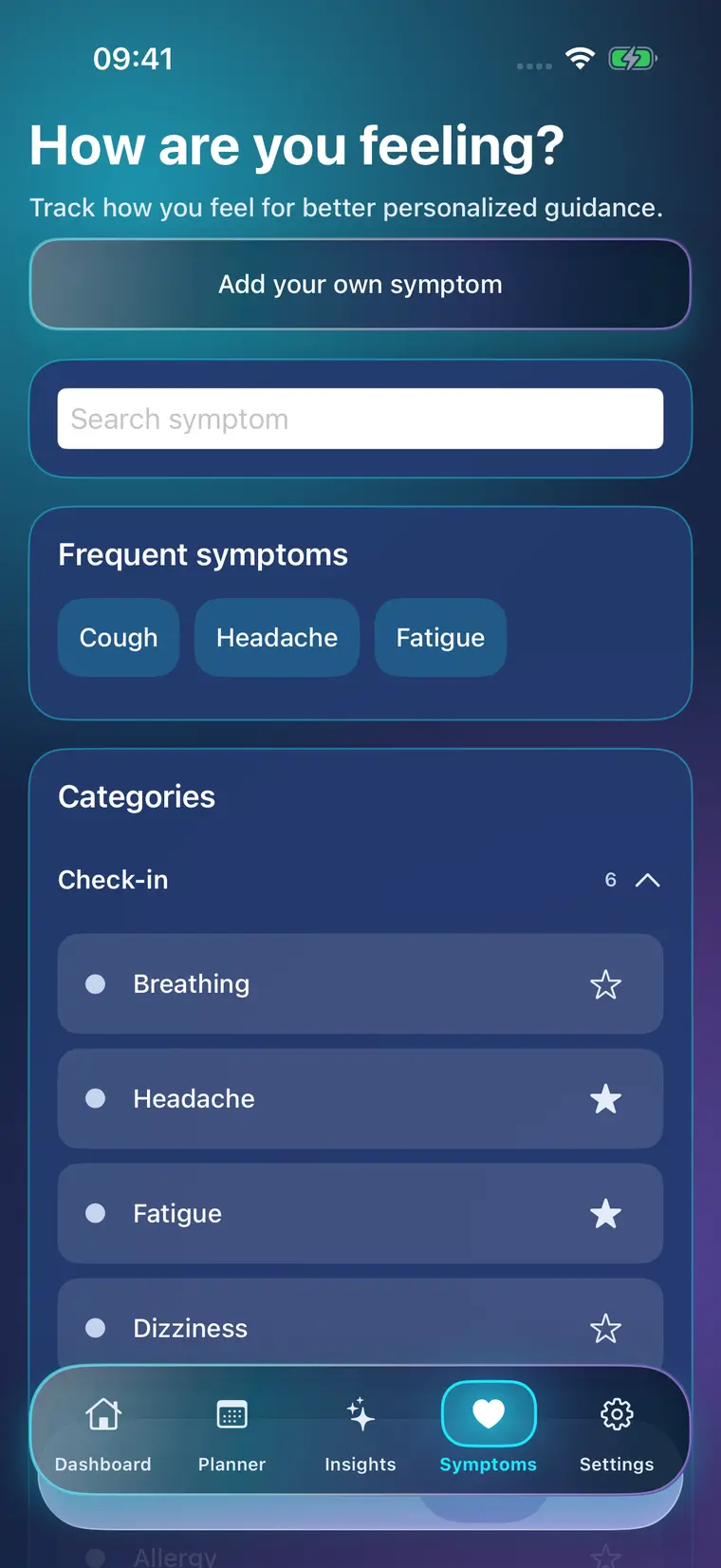
Real HiAir symptom journal screen used for optional personal context
Real iOS symptom journal

Optional Apple Health

Activity data + environmental conditions → more personal context.

With permission, HiAir can use daily and hourly summaries such as steps, heart rate, and resting heart rate. It does not need Apple Health to provide core air and heat guidance.

Optional activity summariesSteps · Heart rate · Resting heart rate
Environmental contextHeat · Air · Activity window
HiAir contextExplainable wellness guidance

HiAir Premium

Start with today's risk. Go deeper when you need it.

Plans and prices are shown in the app for your App Store region.

Free

See what matters today.

  • Live risk and available air metrics
  • Health summary
  • Private symptom journal

Premium

Plan, compare, and understand patterns.

  • Hourly day planner and outdoor windows
  • 7- and 30-day trends and associations
  • AI explanations and reports with available context
  • More saved places and family profiles
See pricing in the app

Science & Data

Clear inputs. Honest limits.

HiAir uses time-stamped weather and air-quality inputs from Open-Meteo where available, with recent cached results for resilience. The risk engine combines observed factors, profile context, and activity rules; unavailable data remains unavailable.

Read how HiAir guidance works →

Privacy

Specific controls, not vague promises.

HiAir may process your account email, optional coarse location, private wellness logs, and optional Apple Health aggregates. You can export or delete HiAir-stored data in the app. Personal data is not sold for advertising.

Read the Privacy Policy →

FAQ

Good questions deserve clear answers.

No. HiAir uses available environmental conditions, your chosen profile context, and the activity you are planning to provide wellness-oriented timing and action guidance.
No. HiAir identifies more suitable windows from available data. Forecasts and environmental inputs can be incomplete or delayed, and official alerts take priority.
HiAir uses available factors such as heat, humidity, AQI, particles, ozone, UV, and wind. Pollen and smoke are shown only where coverage exists; unavailable inputs stay unavailable.
Apple Health is optional. After explicit system permission, HiAir can use daily and hourly activity summaries as wellness context. The app remains usable without Health access.
HiAir is publicly available on the App Store for iPhone and iPad. Android is not publicly listed on Google Play yet.
HiAir app icon

Available now

Make the next outdoor plan with more context.

Download HiAir on the App Store for iPhone and iPad. Android is not publicly listed yet.

Download on the App Store
QR code that opens HiAir on the App Store
Scan to open the App Store
Download HiAir